

Placing An Order User Guide
Contents
- Adding products to the basket
- Minimum order values
- Saving your basket for later
- Applying a promotional code
- Proceeding to the checkout
- Regulatory compliance (SVHC & TSCA)
- Incoterms supported
- Payment methods
Adding products to the basket
Once you have found the product you wish to purchase, enter the required quantity and click the 'Add to Basket' button.
The product will be added to your basket, and the basket icon in the website header will update to reflect the number of items currently selected.
Products are supplied from either our UK or USA warehouse. The stock location for each item is displayed in your basket, along with the product details.
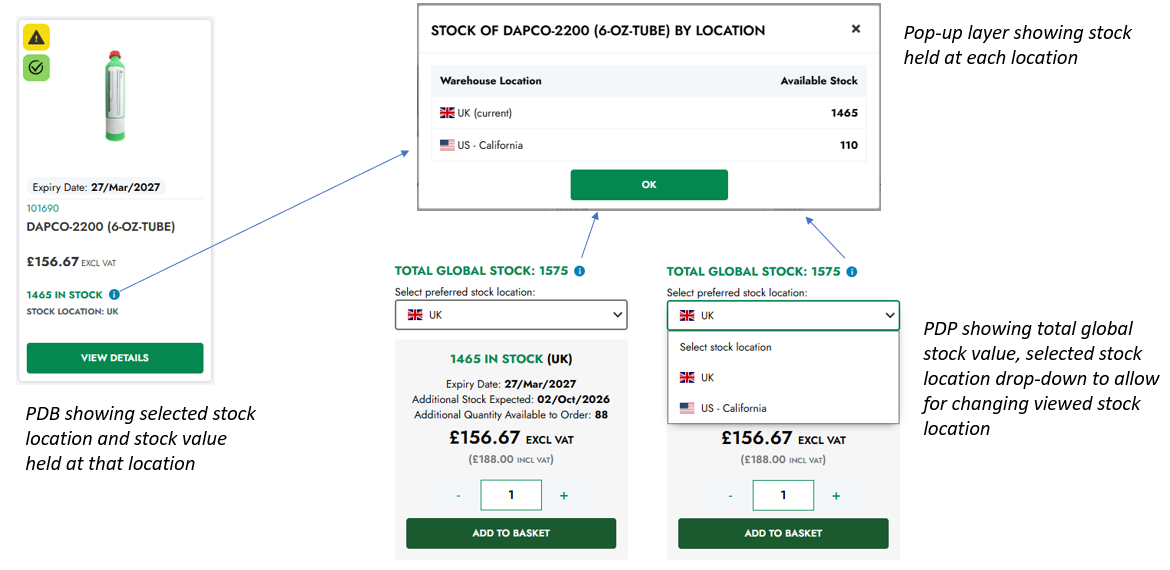
To provide you with the most relevant local shopping experience, the website automatically selects a stock location based on your location.
The stock information displayed for a product relates to your currently selected stock location.
On the Product Detail Page, you can use the stock location drop-down menu to select a different stock location.
When you change the stock location, the product availability and pricing shown on the page will update to reflect the selected location.
You can also switch between stock locations while shopping. Your basket will update dynamically to reflect the selected stock location, including the relevant products, prices and stock availability.
There is no longer a restriction preventing you from changing stock locations while shopping.
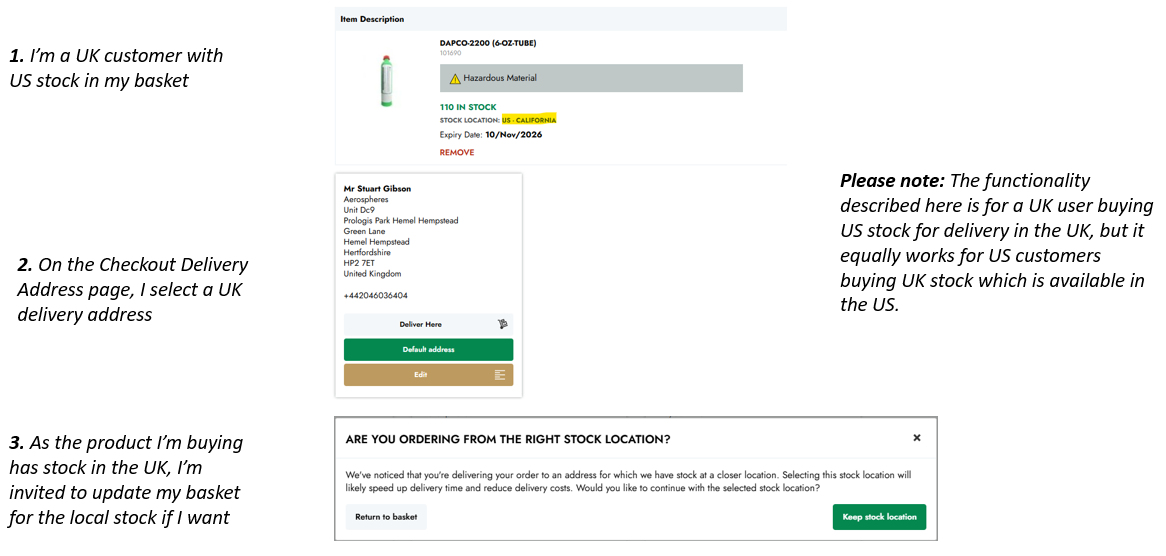
Please note: During checkout, the website will notify you if you are purchasing a product from a non-local stock location when the same product is available from your local stock location. You will then have the option to return to your basket and purchase the product from the local stock location instead. This helps you select the most appropriate stock location for your order.
To review your basket at any time, click the Basket icon in the website header.
Minimum order values
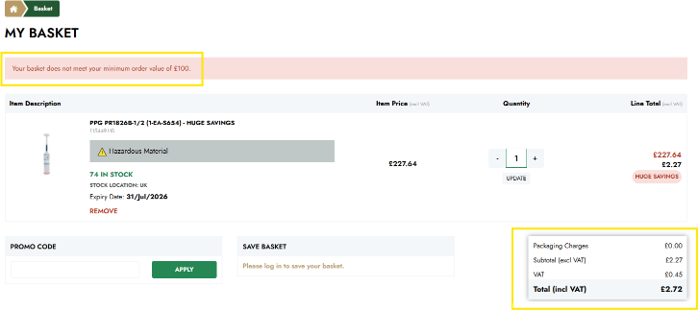
The minimum order value for all website orders is £100 (or the equivalent value in your selected currency).
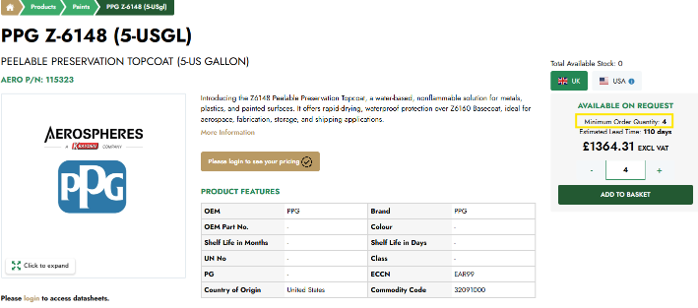
In addition to the website minimum order value, some products or manufacturers may also be subject to minimum order quantities or minimum order values.
Where applicable, any minimum quantity requirements will be displayed on the Product Details page or during the checkout process.
If your order does not meet the applicable minimum order value or quantity requirements, you will be prompted to adjust your order before it can be completed.
Please note: The website minimum order value and any product-specific minimum order requirements must both be met before an order can be placed.
Saving your basket for later
If you are not ready to complete your purchase, you can save your basket for future use. From the Basket page, select the option to Save Basket and enter a name to help you identify it later.
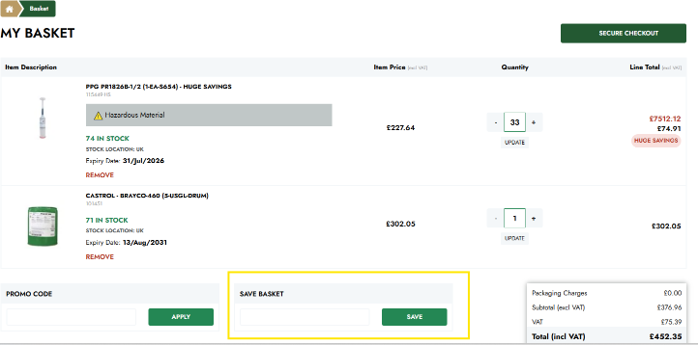
Saved baskets can be accessed at any time from the My Account area, allowing you to continue your order without having to search for the products again.
Applying a promotional code
If you have received a promotional code, you can apply it during the checkout process.
Enter the promotional code into the Promotion Code field and click Apply.
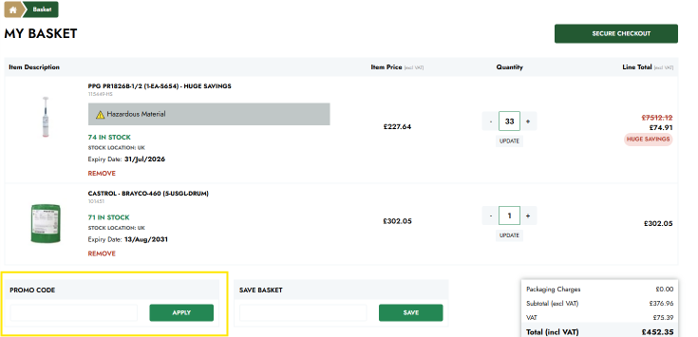
If the code is valid, the applicable discount will be applied to your order total.
Please note: Promotional codes may be subject to expiry dates, usage restrictions or specific terms and conditions.
Proceeding to the checkout
Once you have reviewed the products in your basket, click Secure Checkout.
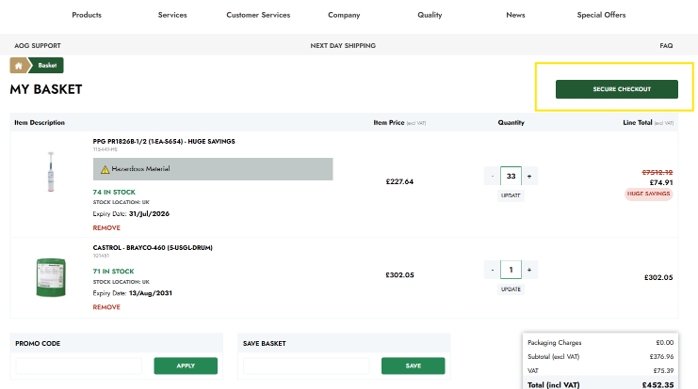
During checkout, you will be asked to confirm your shipping address, billing address, shipping method and payment method before placing your order.
Review your order carefully before selecting Place Order.
Once your order has been successfully submitted, an order confirmation page will be displayed and a confirmation email will be sent to your registered email address.
Regulatory compliance (SVHC & TSCA)
To support regulatory compliance, the website identifies products that may be affected by SVHC (Substances of Very High Concern) and TSCA (Toxic Substances Control Act) requirements.
Where applicable, compliance information is displayed on the Product Details page to help customers make informed purchasing decisions.
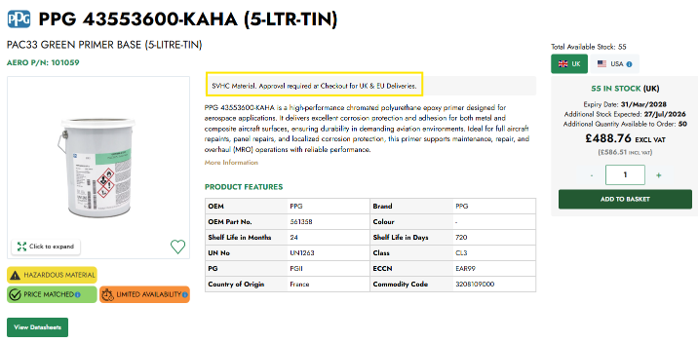
Additional documentation may also be available for products subject to these regulations.
Please note: It is the customer's responsibility to ensure compliance with all applicable local import and regulatory requirements.
Incoterms supported
During checkout, you can select from the Incoterms available for your account and shipping location.
The available Incoterms define the responsibilities of both Aerospheres and the customer for shipping, transportation costs, customs clearance and risk during delivery.
If you are unsure which Incoterm is appropriate for your order, please contact Aerospheres before completing your purchase.
Payment methods
The payment methods available to you will depend on your account status.
New customers placing their first order through the website are required to pay by Credit Card during checkout.
Once your first order has been successfully completed and your account has been reviewed and approved by Aerospheres, you may become eligible for a NET30 Credit Account, subject to our standard credit approval process.
If your company has an approved NET30 Credit Account, this payment option will be available for selection during checkout.
Please note: Bank Transfer is not available for website orders. Customers without an approved NET30 Credit Account must pay by Credit Card. If you have any questions regarding payment options or credit account eligibility, please contact Aerospheres Customer Services.