

My Account User Guide
Contents
- Order history
- View your invoices
- View your Quotes
- Wishlist
- Updating your details
- Saved baskets
- Quick order forms
- Saved quick order forms
- Managing your billing address
The My Account area allows you to manage your website account, view your previous orders, maintain saved baskets and quick order forms, update your personal information and manage your billing details.
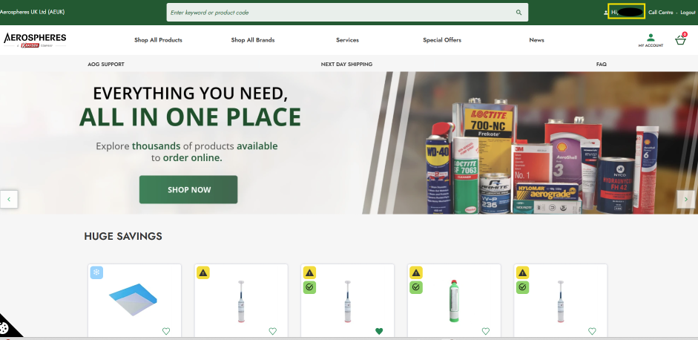
To access My Account, log in to the website and click on your account name in the website header.
Order history
The Order History page provides a record of all orders placed through your Aerospheres website account.
Select Order History from the My Account menu to view your previous orders.
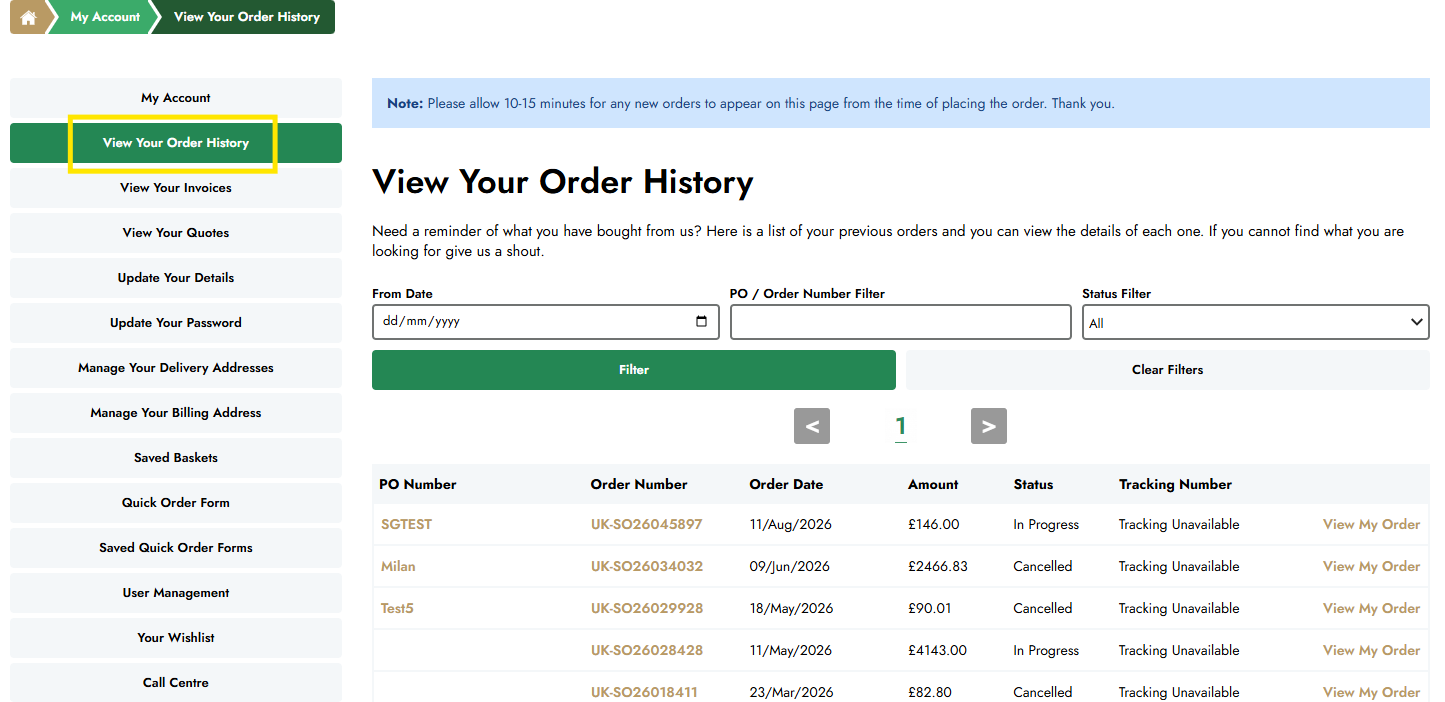
Each order displays key information, including the order number, order date, order status and order total.
Select an order to view additional details, including the products ordered, quantities, pricing and delivery information.
View your invoices
The View Your Invoices section allows you to access invoices associated with your Aerospheres account.
Select ‘View Your Invoices’ from the My Account menu to view your available invoices.
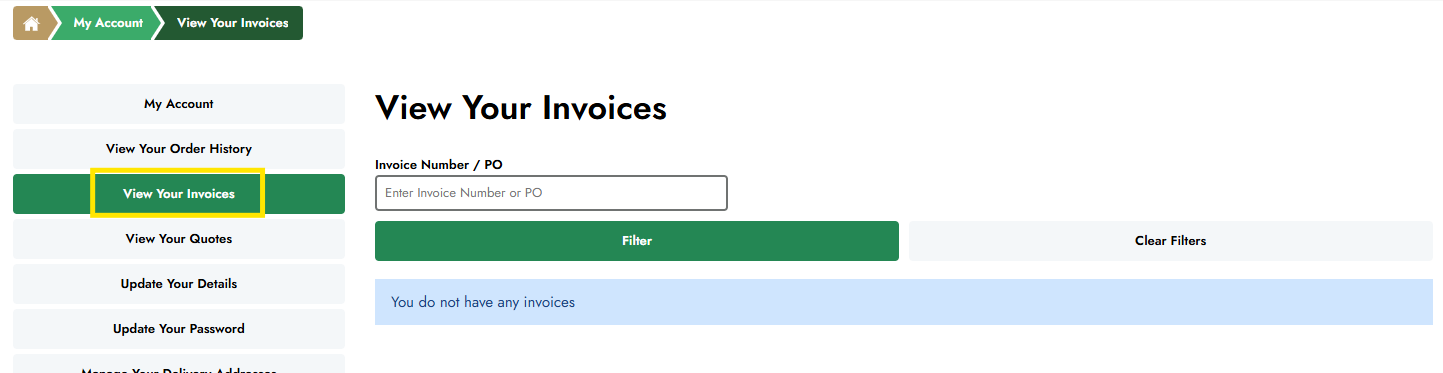
Please note: Please allow 10–15 minutes for new invoices to appear in the My Account area.
View your quotes
The View Your Quotes section allows you to view quotes associated with your Aerospheres account.
Select ‘View Your Quotes’ from the My Account menu to view your available quotes. The quote information includes the Quote Number, Date, Expiry Date, Status and Total. You can select ‘View My Quote’ to view further details.
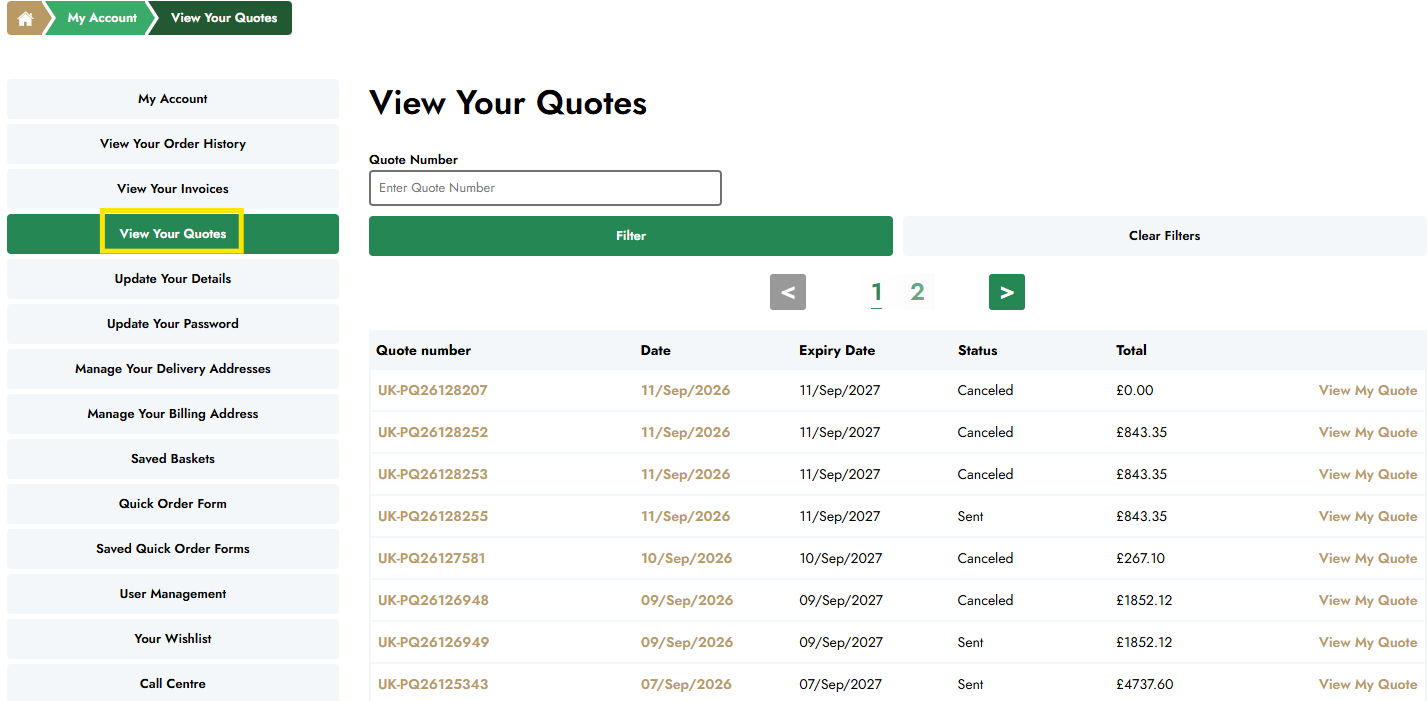
Please note: Please allow 10–15 minutes for new quotes to appear in the My Account area.
Wishlist
The Wishlist allows you to save products that you may wish to purchase at a later date.
To add a product to your Wishlist, simply click the heart icon displayed next to the product image in the product listing.
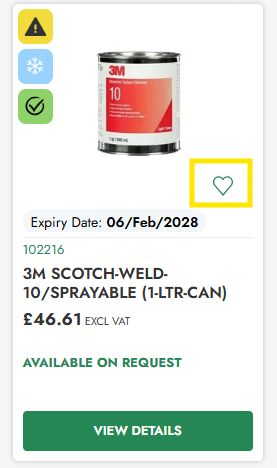
Products saved to your Wishlist can be viewed and managed at any time from the Wishlist section within My Account.
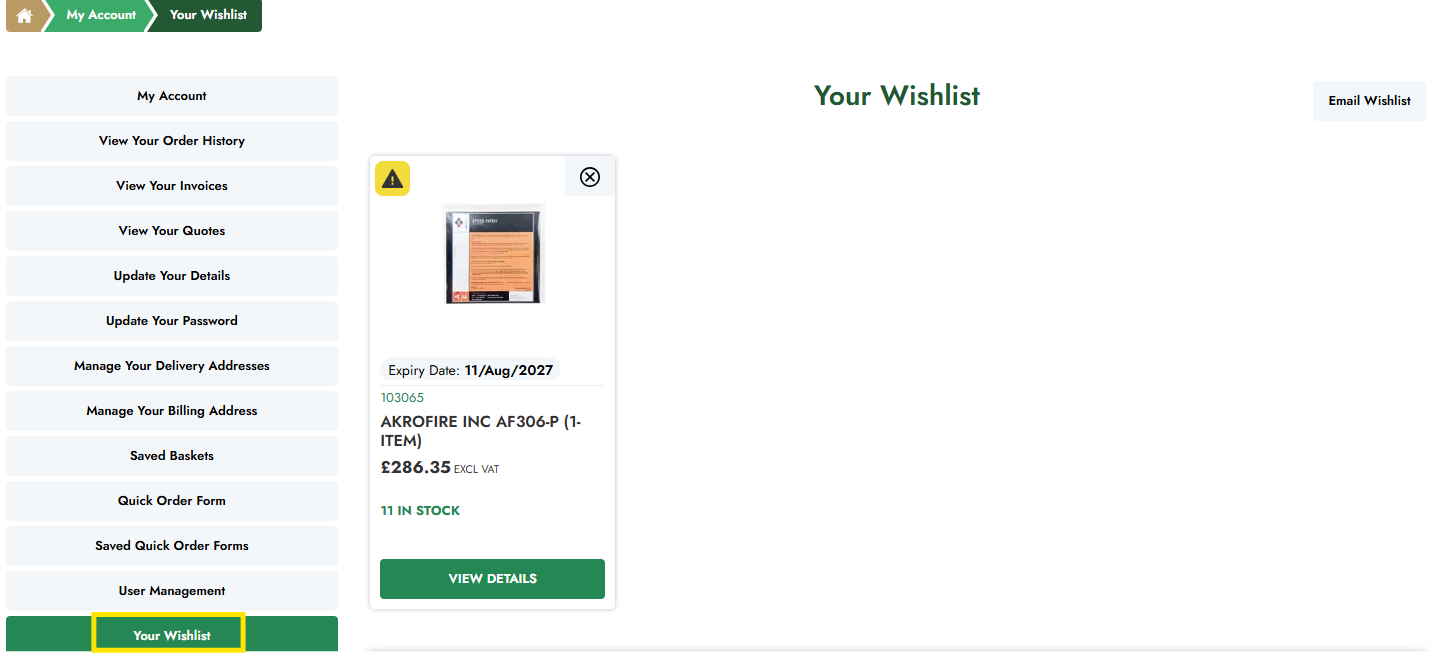
When you are ready to purchase, you can add products directly from your Wishlist to your basket.
Please note: You must be logged in to your Aerospheres account to save products to your Wishlist.
Updating your details
You can update your personal account information at any time from the My Account area.
Select Update Your Details to review and amend information such as your name, telephone number and email address.
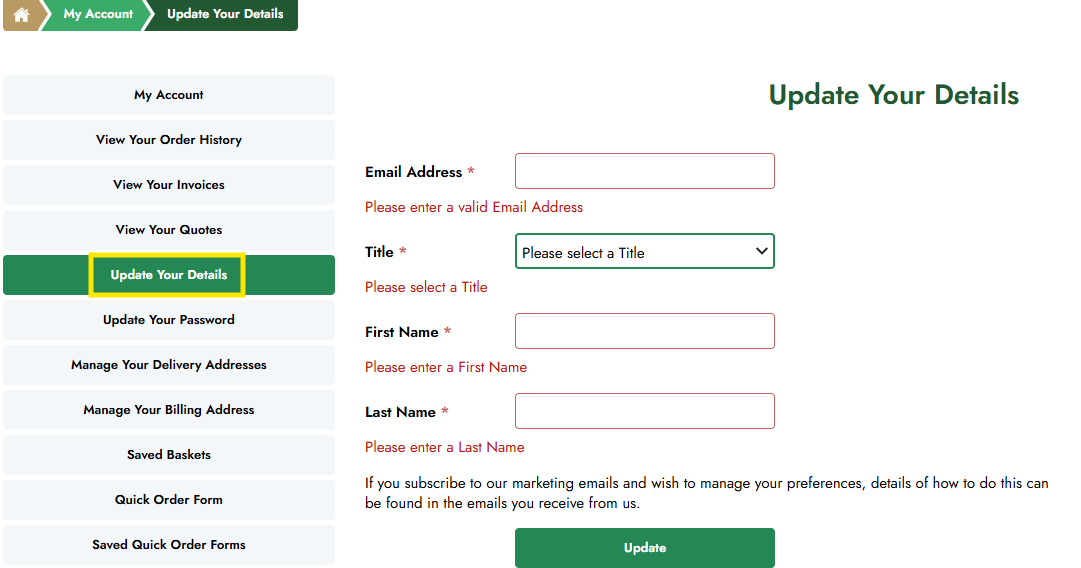
Once you have made your changes, click Save to update your account.
Please note: Changes to company information, pricing, preferred currency or account permissions must be requested through Aerospheres Customer Services.
Saved baskets
Saved Baskets allow you to store products that you intend to purchase at a later date.
To save a basket, select Save Basket from the Basket page and enter a name for future reference.
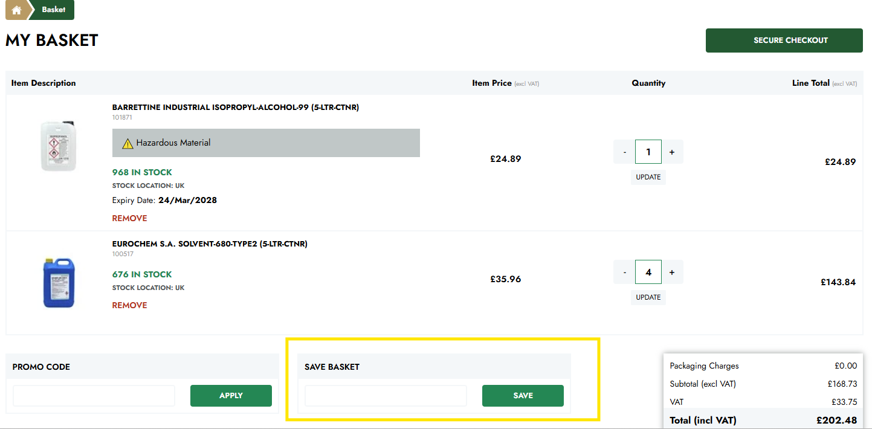
Saved baskets can be accessed from the Saved Baskets section within My Account.
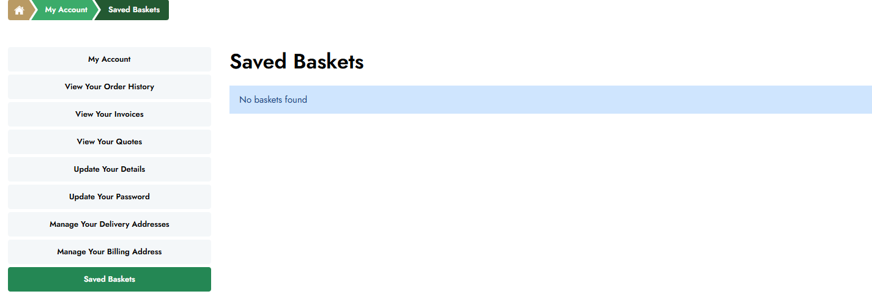
You can reopen a saved basket, make changes to quantities or products and proceed to checkout whenever you are ready.
Quick order form
The Quick Order Form allows you to add multiple products to your basket quickly by entering Aerospheres product codes or product name/title.
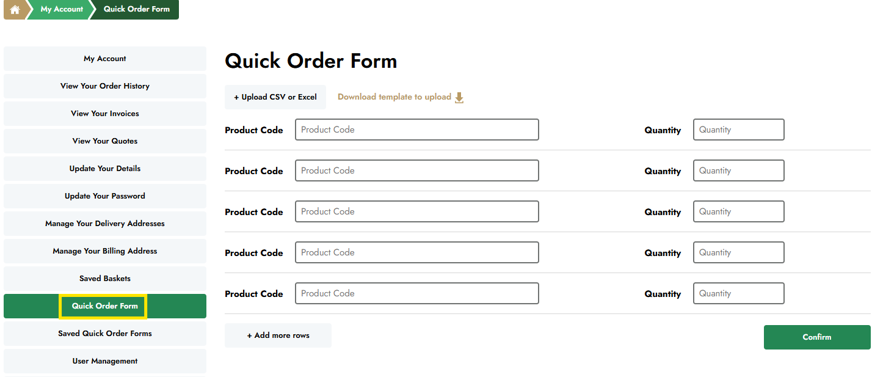
Enter the required product codes and quantities into the form, then select Add to Basket.
This feature is ideal for customers who already know the products they wish to purchase and want to place an order efficiently.
Saved quick order forms
Frequently used Quick Order Forms can be saved for future use.
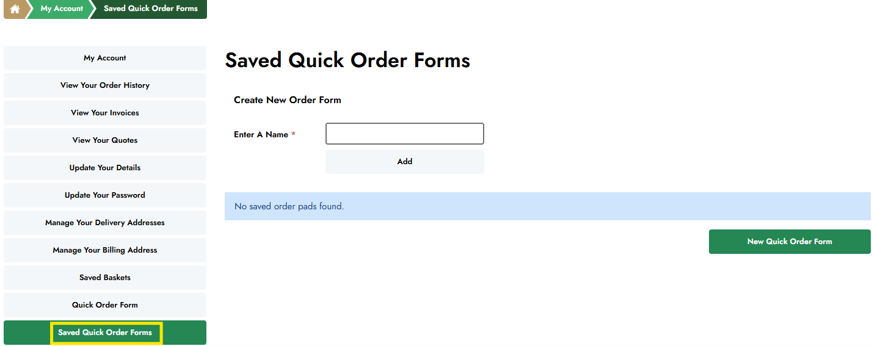
Once saved, they can be accessed from the Saved Quick Order Forms section within My Account.
Selecting a saved form will automatically populate the product list, allowing you to quickly add the products to your basket without re-entering the information.
Managing your billing address
Your default billing address can be viewed within the My Account area.
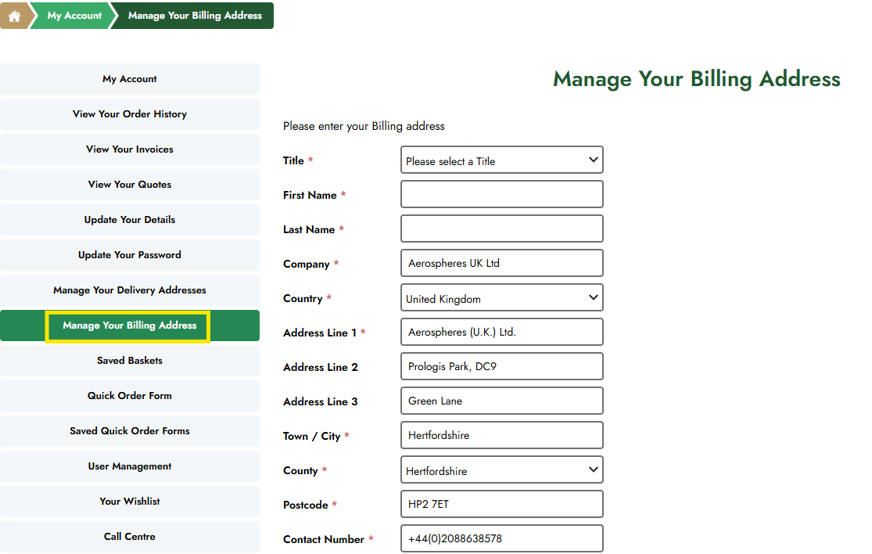
If your account has multiple approved billing addresses, you can select the appropriate address during checkout.
Please note: You can update your billing address through the website at any time. Once your changes have been submitted, a notification will be sent to the Aerospheres team, who will review the request and update the information within our internal system to ensure your account records remain accurate.